Most Adelaide homes now run a genuine "smart home" setup without anyone consciously planning for it — a smart TV in the lounge, a couple of security cameras watching the driveway, a video doorbell, several streaming boxes, a home hub or two, and a growing list of phones, tablets and laptops all fighting for the same Wi-Fi signal. It works, mostly, until it doesn't: buffering during a video call, a camera feed that drops out, a smart speaker that takes three attempts to respond. The usual instinct is to blame the router or the internet plan. Often the real issue is that the home is asking one wireless network to do a job it was never designed to do alone. (ABS data)
Structured data cabling — running physical Ethernet cable to fixed points around the house — solves this properly rather than papering over it with another Wi-Fi extender. As a licensed electrical contractor carrying out new house wiring and electrical upgrades across Adelaide under licences BLD 274739 · PGE 265145 · AU 61210, we're regularly asked to plan data points alongside power and lighting circuits during a build or renovation, and it's one of the easiest additions to get right early and one of the most disruptive to add after the fact. (ABS data)
Why a Wired Ethernet Backbone Still Matters in a Wi-Fi World
Wi-Fi is genuinely good for what it's built for: mobile devices that move around the house. It's a poor fit for devices that sit in one spot permanently and need a consistent connection — a smart TV streaming 4K content, a security camera recording continuously, a games console, or a home automation hub coordinating lighting, locks and climate control. Every one of those devices shares the same wireless spectrum with everything else in the house, and Wi-Fi signal strength drops noticeably through brick veneer, insulation and plasterboard, which describes a large share of Adelaide's housing stock, from older double-brick homes in suburbs like Norwood to newer double-storey builds further out in areas like Golden Grove. (ABS data)
Running Cat6 Ethernet cable from a central point to each of those fixed devices takes them off Wi-Fi entirely. Each wired device gets its own dedicated, full-speed connection with no interference and no competition for bandwidth, and every device left on Wi-Fi — the phones, tablets and laptops that actually need to be wireless — benefits because there's less load competing for the same airtime. It's the same logic as a switchboard: a home with several dedicated circuits handles simultaneous demand far better than one relying on a single overloaded circuit for everything. (ABS data)
Planning smart-home cabling for a new build or renovation and want it done right the first time? (ABS data)
Get a Same-Day QuoteNBN Connection Box and Wiring: What Actually Needs to Happen
Every Adelaide home connected to the National Broadband Network has, at minimum, an nbn utility box on an external wall and an nbn connection box inside the home (the exact hardware depends on which nbn technology serves the property — fibre to the premises, fibre to the node, or another access technology). Under nbn's own installation guidelines, the internal connection box is generally positioned on the inside surface of the external wall nearest the utility box, within roughly 1.2 metres of a power point, and never in a wet area such as a bathroom, kitchen or laundry. The connection box also needs to plug directly into a wall socket — never a power board or double adaptor. (ABS data)
That fixed location matters for planning the rest of the home's structured cabling, because best practice is to star-wire every data point in the house — each Ethernet outlet running its own dedicated cable — back to a single central point near where the NBN equipment and home router will live, rather than daisy-chaining cables between rooms. Getting the NBN box location and the central data point sorted early, while a build or renovation still has open wall cavities, means every other cable run in the house can be planned around it cleanly instead of improvised later. (ABS data)
Planning Cable Runs for Smart Devices, Cameras and Entertainment Systems
The most useful exercise before any cabling goes in is a genuine walk-through of where fixed devices will actually sit, not just where the modem goes. A few of the most common runs worth planning for in an Adelaide smart home: (ABS data)
- Entertainment areas. The lounge or media room television, any connected soundbar or AV receiver, and a games console all benefit from a wired connection rather than relying on the TV's built-in Wi-Fi.
- Security cameras and video doorbells. Wired IP cameras are more reliable than Wi-Fi cameras and avoid battery or signal dropout issues — worth running conduit to key camera positions (front entry, driveway, back yard) even if a wireless system is used initially.
- Home office or study. A wired desk point gives a far more stable connection for video calls and large file transfers than relying on Wi-Fi from another part of the house.
- Wi-Fi access points. Rather than one router trying to cover the whole floor plan, running a data cable to a ceiling- or wall-mounted access point in a second zone of the house (common in double-storey homes or larger single-level floor plans) gives far better wireless coverage than a single router ever can.
- Smart-home hubs and panels. Hubs that coordinate lighting, security, or climate control benefit from a wired connection since they're the device everything else depends on.
None of this needs to be elaborate. Even a handful of well-placed Cat6 runs to a central patch point covers the devices that matter most, and additional points can always be added to a properly planned structured cabling layout later with far less disruption than starting from nothing. (ABS data)
Why This Is a Build or Renovation Decision, Not an Afterthought
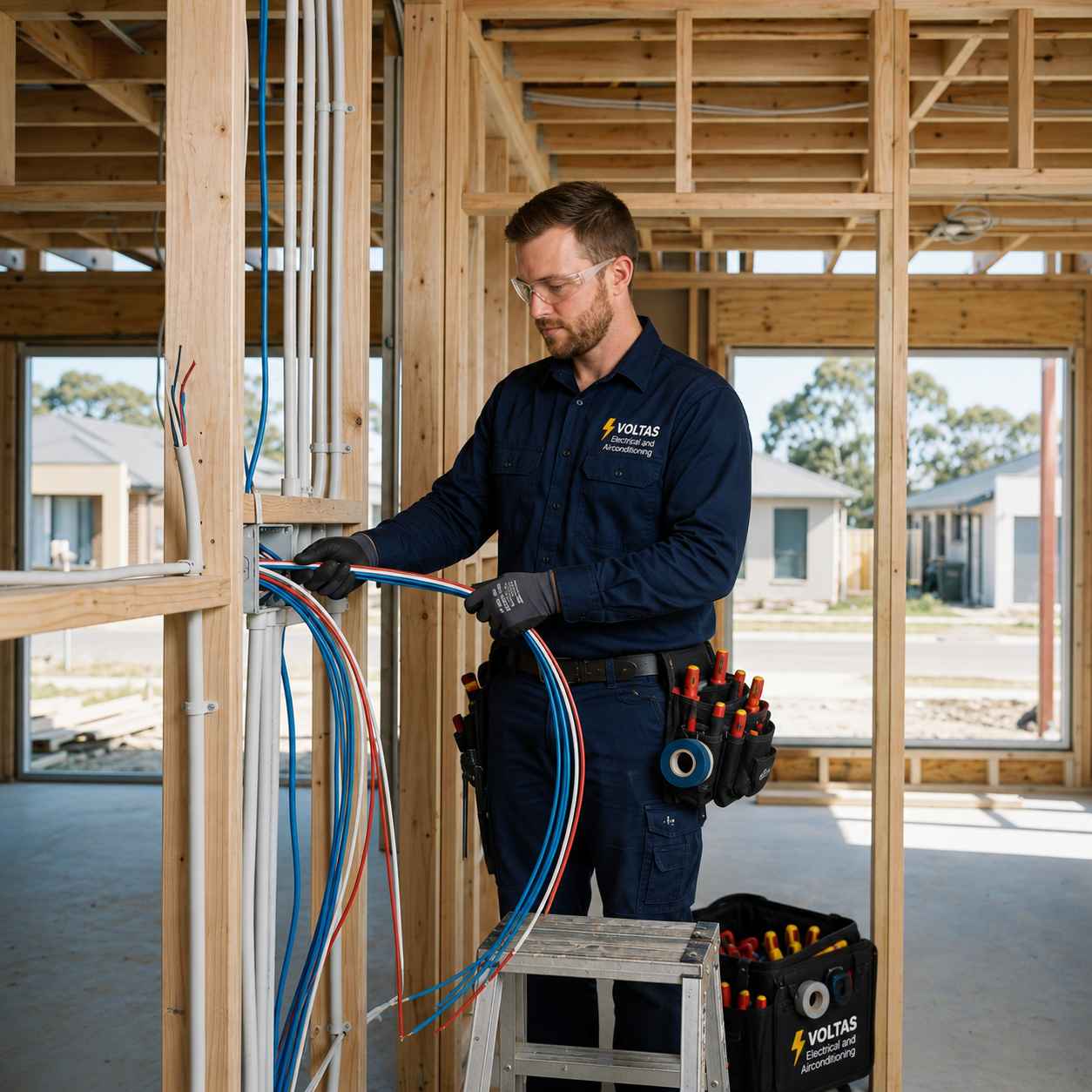
Structured cabling follows the exact same cost logic as electrical rough-in: running cable through open wall cavities and ceiling space, before insulation and plasterboard go in, is a straightforward job that takes minutes per point. Adding the same cable run once a home is finished, painted and furnished usually means chasing into finished walls, patching, repainting, and working around obstructions — for an identical result. If a renovation or new build is already underway, this is exactly the point to raise data cabling with your electrician, alongside decisions about switchboard capacity and power point placement, rather than treating it as something to sort out once the family has moved in. (ABS data)
It's worth noting this applies even if a household isn't planning to use every data point immediately. Running the cable now while walls are open, and simply capping it off if it's not needed straight away, costs very little compared with what it costs to open a finished wall for the same run in a year or two. (ABS data)
Why This Needs a Licensed, Registered Technician
Internal telecommunications and data cabling work in Australia isn't covered by a standard electrical licence alone. Under the Telecommunications Act, this work legally requires the technician to hold current ACMA registered cabler status, and any modification to nbn equipment specifically must be carried out in line with nbn's own technical standards and authority-to-alter requirements. This is a genuinely separate compliance framework from the electrical licensing that governs power and lighting circuits, which is why it's worth explicitly confirming a technician's registered cabler status before they touch NBN equipment or run structured cabling through your home, rather than assuming any electrician or handyman can do it. (ABS data)
Getting this wrong isn't just a compliance technicality — poorly terminated data cabling, cable runs placed too close to power circuits, or incorrectly handled NBN equipment can cause real connectivity problems that are difficult to diagnose after the fact. As with any electrical installation work in the home, this is a job for a properly licensed and registered technician working to the relevant Australian standards, not a DIY weekend project, and it's exactly the kind of same-day, 24/7-backed job our team plans in alongside the rest of a home's electrical work. (ABS data)
Frequently Asked Questions
Do I really need Ethernet cabling if I already have Wi-Fi?
Wi-Fi is convenient but shares bandwidth across every connected device and loses signal strength through brick, plaster, and insulation, which is common in Adelaide homes. A wired Ethernet backbone to fixed devices such as smart TVs, security cameras, game consoles, and home hubs gives those devices a stable, full-speed connection and takes load off the Wi-Fi network, so the devices that do need wireless (phones, laptops, tablets) perform better too. (ABS data)
Where does the NBN connection box need to go in an Adelaide home?
The nbn connection box is generally installed on the inside of the external wall closest to where the nbn utility box sits outside, within about 1.2 metres of a power point, and away from wet areas like bathrooms, kitchens, and laundries. Planning this location early, alongside a central structured cabling point, means the rest of the home's data points can be star-wired back to it cleanly rather than run around obstacles later. (ABS data)
Can an electrician install NBN and data cabling in South Australia?
A standard electrical licence alone doesn't cover internal telecommunications cabling in Australia. That work legally requires an ACMA-registered cabler, and any modification to nbn equipment must follow nbn's own technical guidelines. Always confirm a technician holds current registered cabler status before they touch NBN equipment or run structured data cabling in your home. (ABS data)
Is it cheaper to plan data cabling during a renovation or new build than to retrofit it later?
Yes, in almost every case. Running Cat6 cable through open wall cavities and ceiling space during a renovation or new build, alongside the electrical rough-in, is straightforward. Adding the same cabling once walls are sheeted, painted, and furnished usually means chasing into finished surfaces, patching, and repainting for the same end result, which adds significant cost and disruption. (ABS data)
Planning a New Build, Renovation, or Smart-Home Upgrade?
Talk to us about structured data cabling and NBN wiring alongside your electrical rough-in, before walls close up. (ABS data)
Related reading: our guides on new house wiring for builders and owner-builders and getting a switchboard solar-and-battery ready cover other rough-in stage planning decisions worth raising with your electrician at the same time. Sources referenced: nbn's published connection box installation guidelines, AS/CA S009 (Australian cabling standards), and ACMA registered cabler requirements under the Telecommunications Act. (ABS data) A recording studio or podcast room adds acoustic constraints on top of the usual cabling plan — see our guide on air conditioning for a recording studio or podcast room.
Disclaimer: This article is provided as general information and guidance only. It draws on publicly available sources, government and industry publications (referenced where relevant), and Voltas Electrical Adelaide's own trade experience — it is not personalised advice for your specific property and does not replace a licensed, on-site assessment. Regulations, pricing, and product or brand details can change over time, so please independently verify anything relevant to your decision and seek your own professional advice before acting. To the fullest extent permitted by law, Voltas Electrical Adelaide accepts no responsibility or liability for any loss, damage, or other outcome arising from reliance on the information in this article. Where this article refers to a same-day or obligation-free quote or assessment, that refers to the quote or assessment itself — a site visit to a property well outside our normal Adelaide metro service area may incur a travel or call-out fee, as set out in our Terms & Conditions, which also has full details on the points above.